Creative Pattern Color Studio
Reviews
Description
Core Creative Process
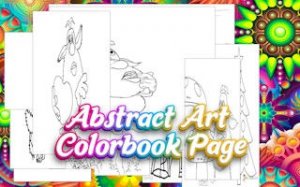
This application provides a straightforward way to engage with art. Users select from a collection of abstract images, such as geometric shapes or nature-inspired scenes. The interface offers a broad spectrum of hues and tones. A simple tap or click applies color to the chosen area, allowing for quick progress or careful detail work.
Tools and Techniques
The software includes several practical features. A fill option covers large sections instantly. Adjustable brush sizes enable precise work on smaller details. Users can mix and match colors freely, following suggested palettes or creating their own combinations. This flexibility supports both beginners and those with more experience.
Relaxation and Focus
Designed with mindfulness in mind, the environment remains free from interruptions during use. There are no time constraints or performance metrics. This structure encourages a calm pace, letting individuals focus entirely on the act of coloring. Many find this process helps reduce daily stress.
Personal Gallery and Sharing
Completed pieces can be saved to a personal collection within the application. This feature allows users to review their progress over time. Artworks can also be shared with others, providing a way to display finished projects. The gallery serves as a source of inspiration for future work.
Player Comments
Sign in to comment
You must be logged in before posting a review or rating.
No account? Create one
No comments yet. Be the first to comment!