Block Craft 3D Sandbox Studio
Reviews
Description
Core Building Mechanics
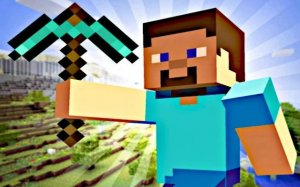
In Block Craft 3D Sandbox Studio, players interact with a world made entirely of cubes. The primary action involves selecting from a diverse palette of block types and placing them to form structures. Each block can be rotated for precise alignment, allowing for detailed work. Removing blocks is equally straightforward, enabling quick edits and reshaping of existing builds. This simple yet flexible system supports everything from small decorative items to large-scale architectural projects.
Tools and Modes for Efficient Creation
Several built-in tools enhance the building experience. A dedicated clearing tool lets players reset an area instantly, providing a blank canvas for new ideas. Speed mode accelerates the placement process, making it practical to cover large surfaces or construct repetitive patterns rapidly. Fly mode gives players an aerial perspective, which is especially useful for planning layouts and checking proportions from above. These features reduce friction and keep the focus on creative expression.
Visual Style and Atmosphere
The game presents a bright, cheerful aesthetic with vivid colors that make each block distinct. This visual clarity helps players identify materials quickly and appreciate their creations from any angle. The environment remains calm and non-threatening, reinforcing the game's purpose as a constructive outlet. There are no timers or enemies to worry about, so builders can work at their own pace and experiment freely.
Exploration and Discovery
Beyond building, there is room to explore the generated world. Players can move their character around to view structures from different perspectives or find inspiration in the landscape. The variety of available blocks encourages experimentation, as combining different textures and colors can lead to unexpected results. This element of discovery adds depth to the sandbox experience, rewarding curiosity and repeated play.
Accessibility for All Ages
The controls are straightforward, with standard keyboard inputs for movement and action. Menus are clearly labeled, making it easy to switch between block types or activate special modes. This design ensures that younger players and those new to building games can jump in without frustration. At the same time, the open-ended nature of the sandbox provides enough complexity to engage experienced builders looking for a low-stress creative space.




Player Comments
Sign in to comment
You must be logged in before posting a review or rating.
No account? Create one
No comments yet. Be the first to comment!